What it does
Get hired. Then win the work.
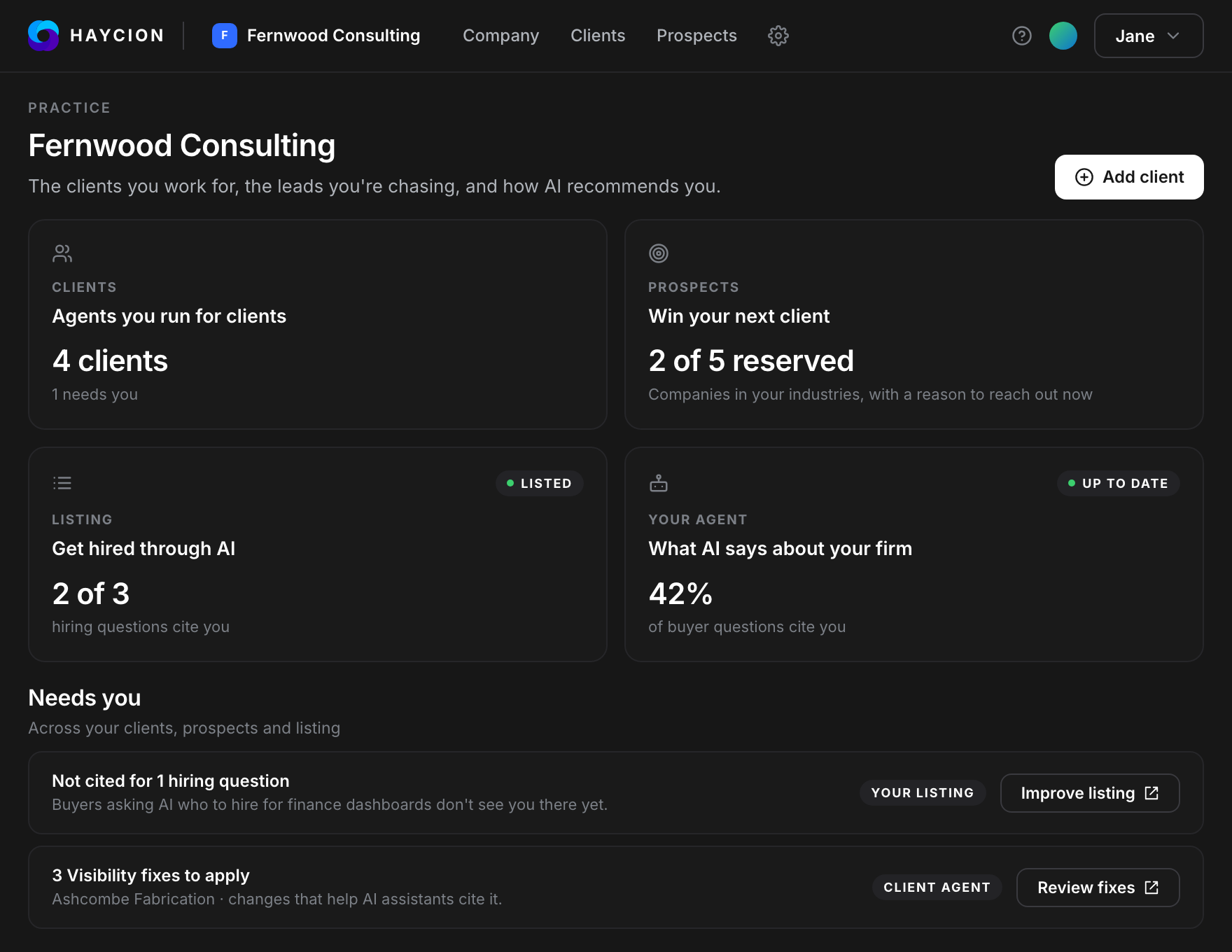
Haycion gets your practice found by the companies researching who to hire, and by the AI assistants they ask. Then it gives you a workspace for every client you take on, built from one URL and kept current for the life of the engagement.
Get hired
Your practice, found by buyers and by AI.One profile. Read by buyers and by AI.
Haycion drafts your practice's profile from your website and publishes it twice: a page for the companies researching who to hire, and a machine-readable twin for the AI assistants they ask.
Built from your website
Drafted for you. You edit it and publish it.
A page and a twin
A profile page for buyers, plus markdown, structured data and llms.txt for assistants.
See what AI says about you
Ask what your buyers ask. See whether you're named, and who is instead.
Proof that moves daily
Leaderboards of buyer views, clicks and AI reads, refreshed every day.
Know who to call next, and why now.
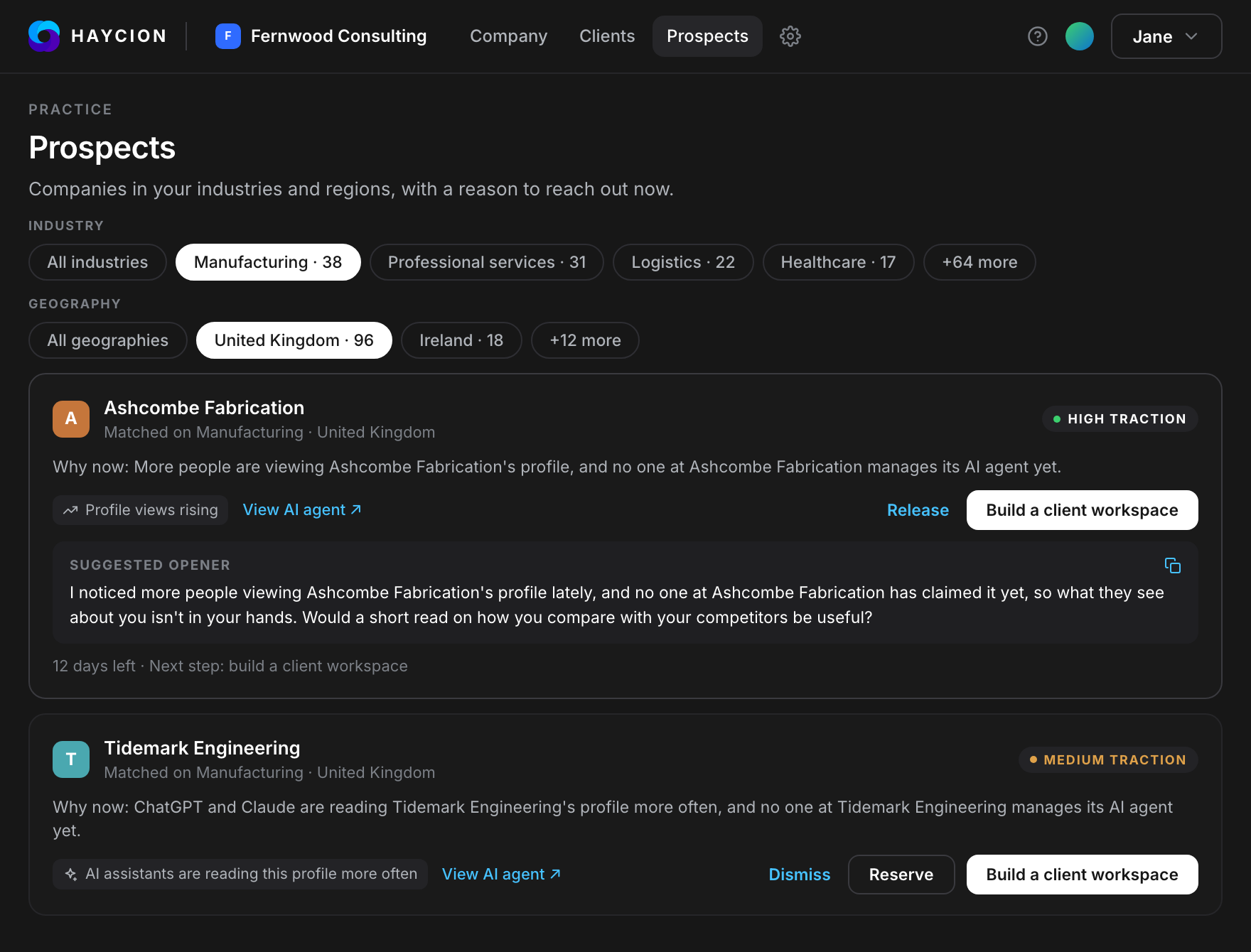
Prospects are companies in your industries and regions that are drawing attention right now, and whose AI agent no one manages yet. Reserve one and it's yours alone for 14 days.
Prospecting is on the Practice plan and above.
Matched to your listing
Industries, regions and specialisms from your Advisor Network profile.
Reserved for you
No other advisor sees it for 14 days. Up to 5 at a time.
Researched before the call
Build the prospect's workspace in about an hour, and the clock restarts once.
A first line to send
Every reserved prospect comes with a suggested opener, written from its reason.
Win the work
An isolated workspace for every client.Start with a URL. End with a 360° snapshot.
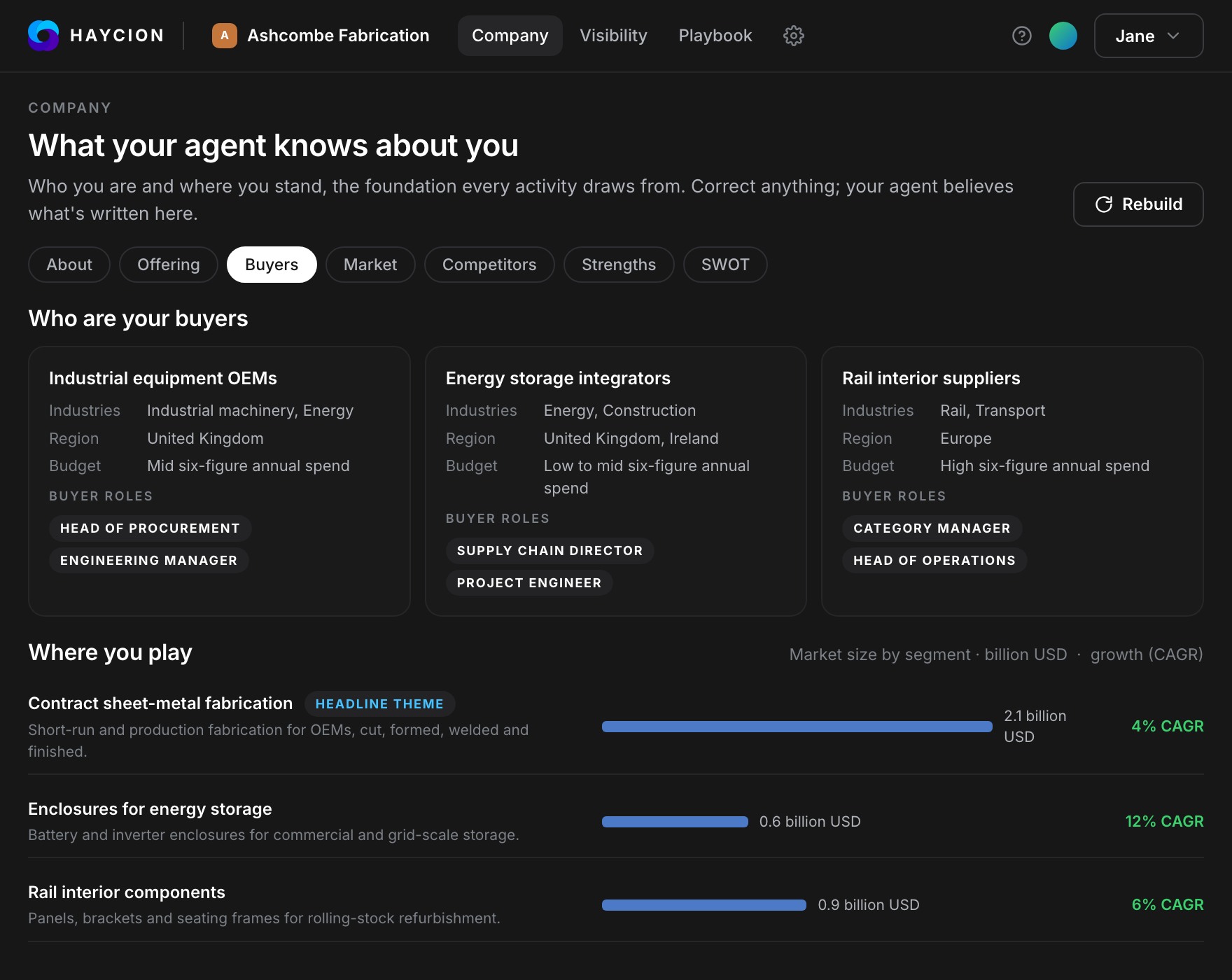
Enter the client's website. Haycion builds their profile, ICPs, segments and messaging in about an hour, from public data only.
Detect the ICPs
Personas ranked by priority, with value props, pain points and what to fix.
Size the segments
Segments with TAM estimates, so the strategy conversation starts with numbers.
Read the messaging
Products and positioning as the market sees them, not as the client describes them.
Open the daily brief
From day one, a morning brief on the client's market.
Rank the competitors. Show the reasoning.
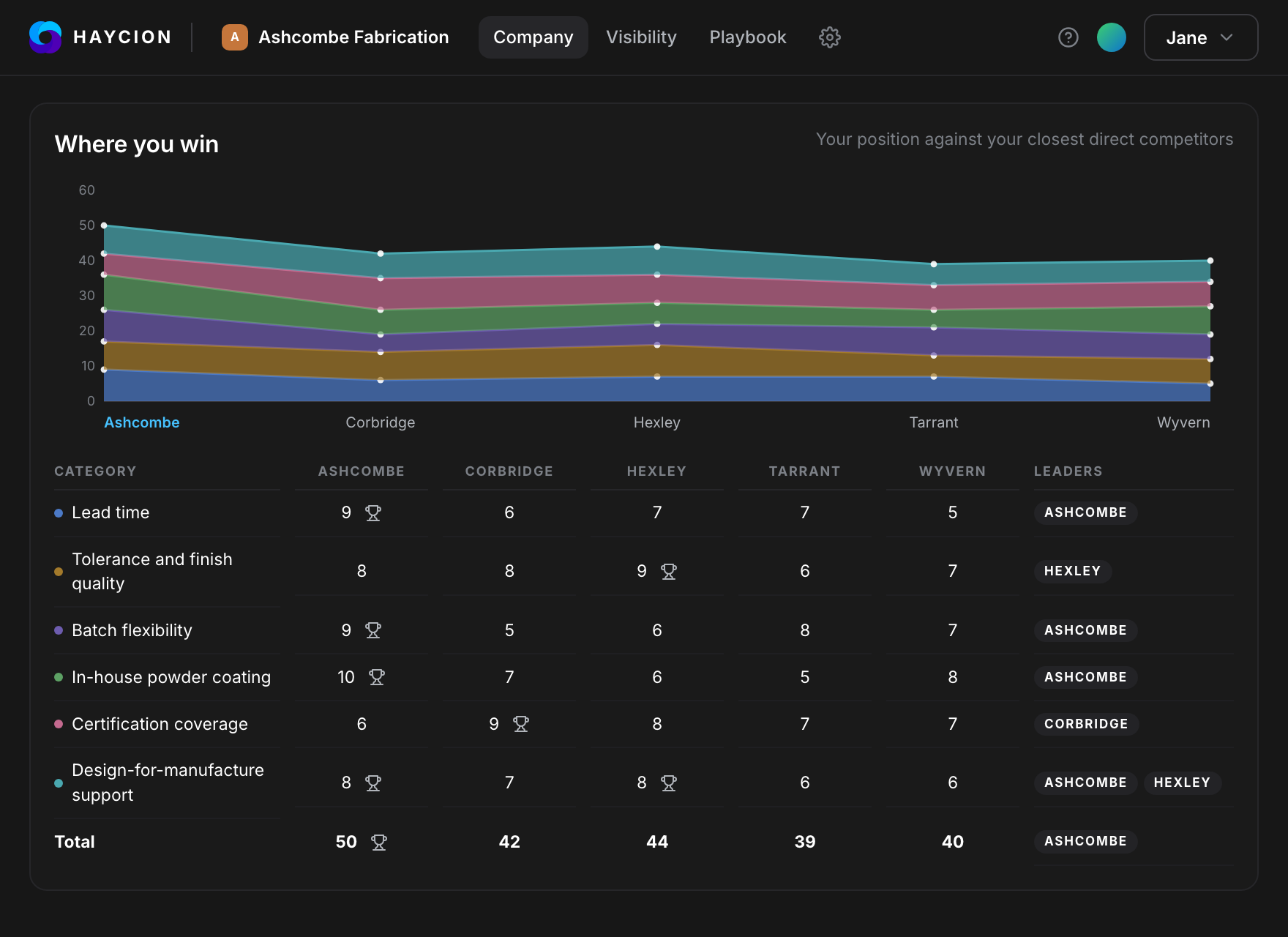
Competitors found and benchmarked on a weighted Strength Matrix, with a SWOT for each and scores you can override.
Find the whole field
Competitors you'd have missed, ranked and scored.
SWOT each one
Strengths, weaknesses, opportunities and threats, per competitor.
Override the scores
Disagree with the matrix? Change it, and everything downstream updates.
Generate battlecards
One per persona, ready for the client's sales team tomorrow.
See where the client can win.
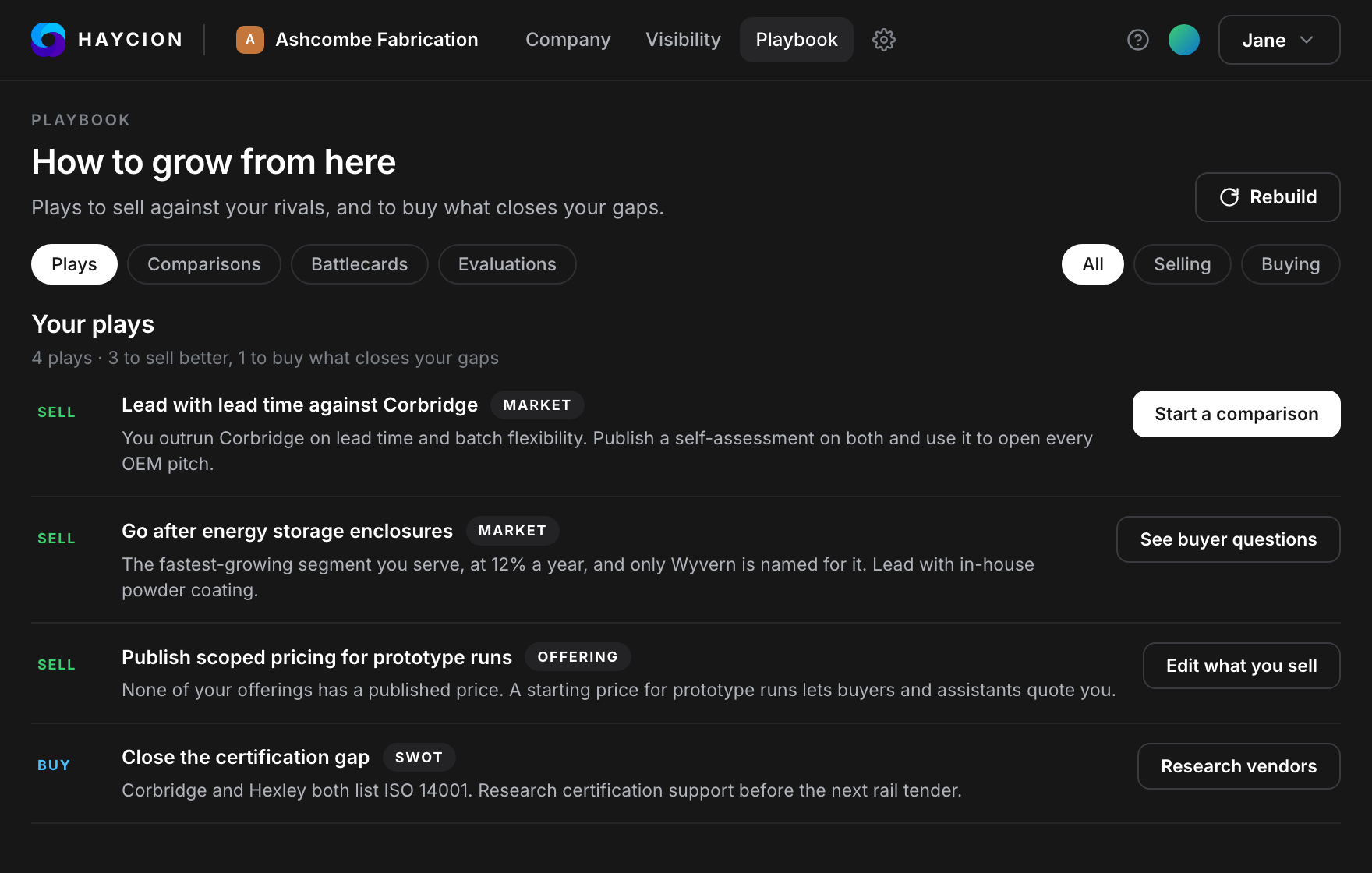
The Playbook turns the Strength Matrix, the SWOT and the buyer-question results into ranked plays: where to sell against each rival, and what to buy to close a gap. Each play shows the evidence behind it and one next step.
Ranked plays
The client's next steps in order, rebuilt whenever you rebuild the workspace.
Sell and buy
Plays to win against rivals, and plays to close the gaps rivals score higher on.
The evidence shown
Every play cites the scores and answers it was built from.
One step each
Start a comparison, open a battlecard, edit what they sell or research vendors.
Put the client's case in writing.
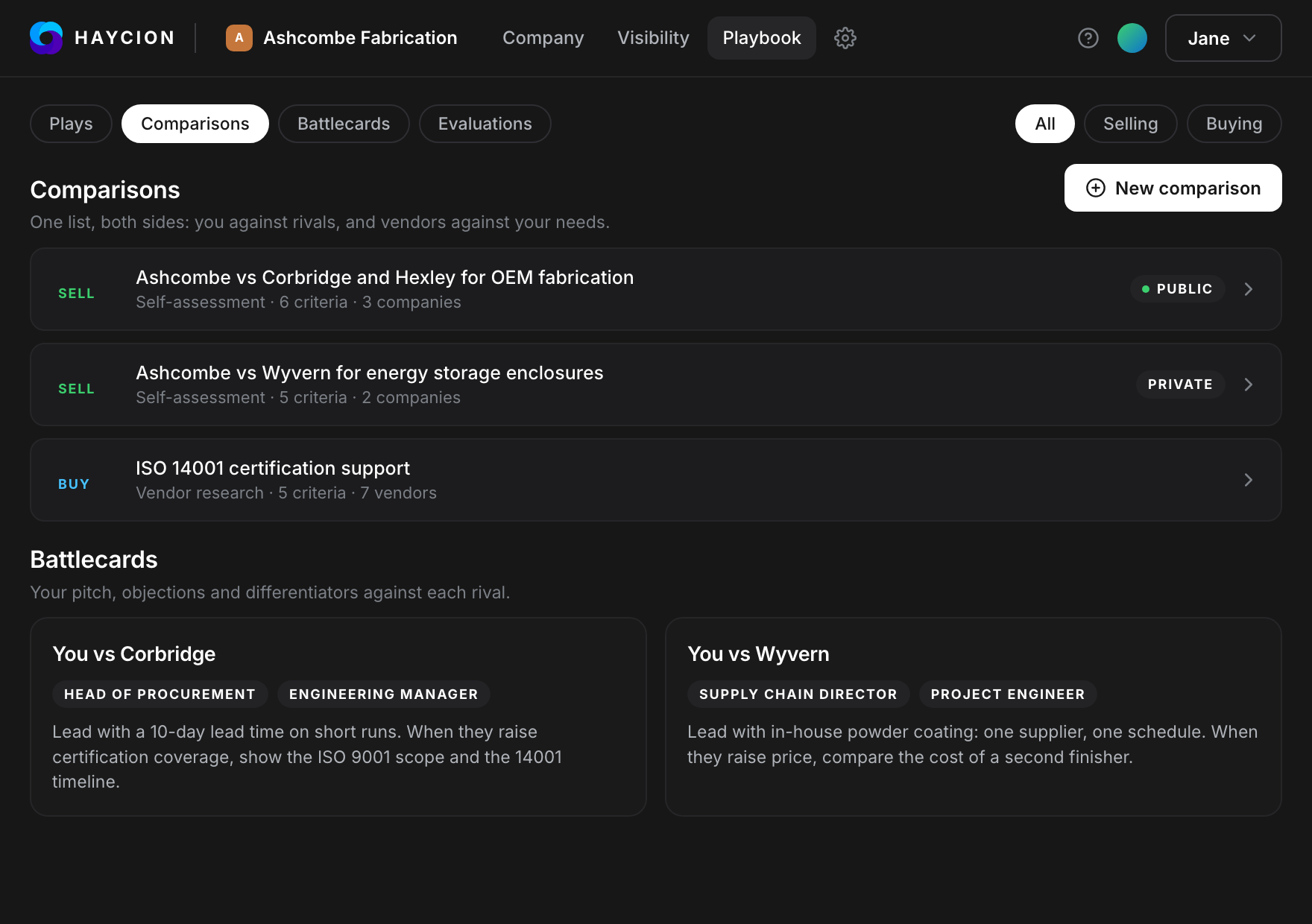
Score the client against the competitors you choose, then publish the comparison on the client's AI agent profile, so assistants read the client's case on the client's terms. Give their sales team a battlecard for each rival.
Pick the rivals
A self-assessment scores the client against the competitors and criteria you choose.
Publish it, or don't
Make a comparison public on the client's AI agent profile, or keep it private.
A battlecard per rival
The pitch, objections and differentiators against each competitor, by persona.
Research what to buy
Compare vendors against the client's own requirements, on the same matrix.
Turn the project into a retainer.
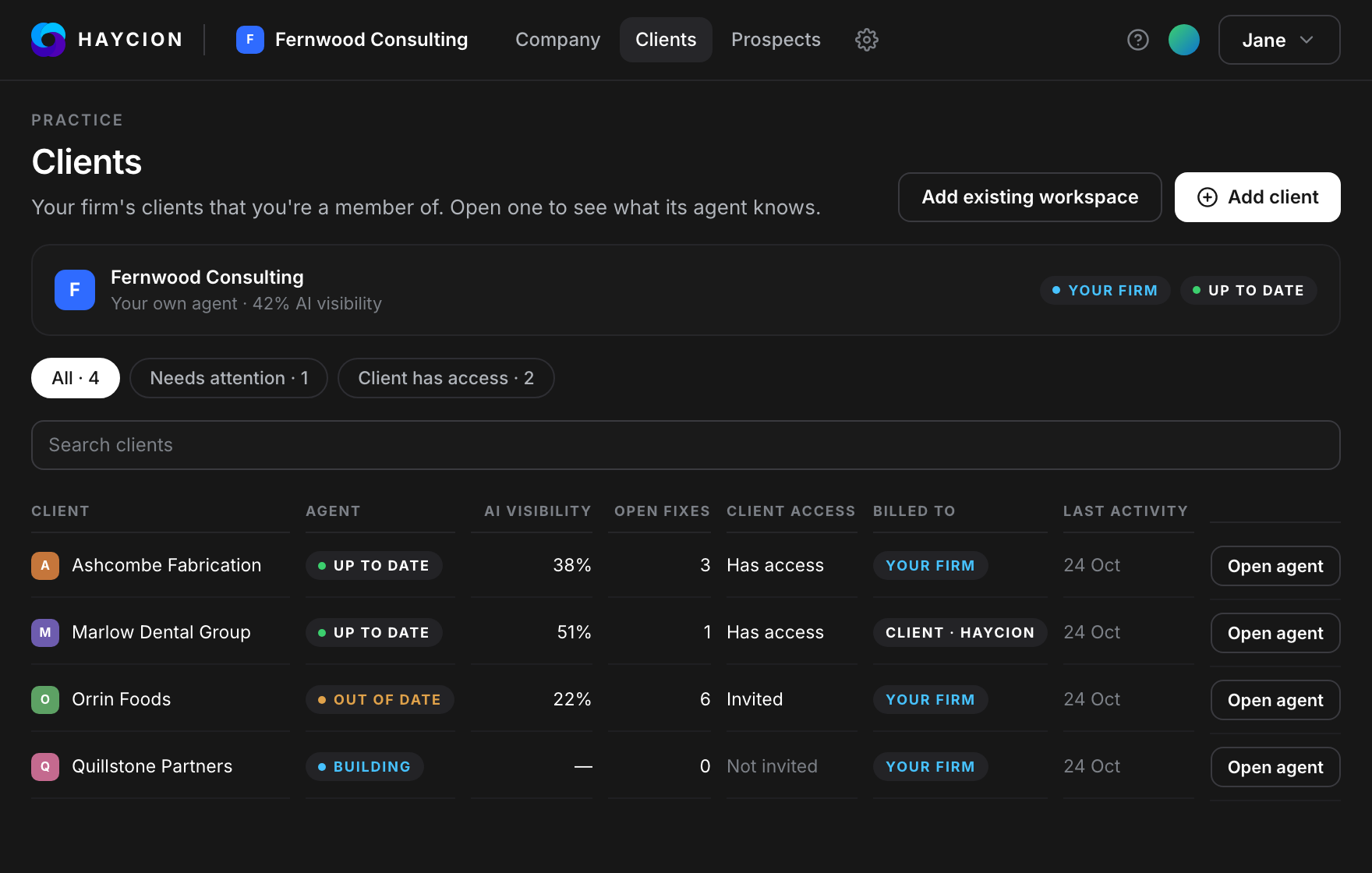
Share the workspace with the client, watch their market around the clock, and send client-ready reports under your name.
Ask the workspace
Chat over everything Haycion knows about the client.
Monitor 24/7
Market, competitors and messaging, watched around the clock.
Share with the client
Administrator, User and Client roles, with Client View deciding what the client sees.
Export in a click
Client-ready reports from 18 section types, to PDF and Word.
Get the client found.
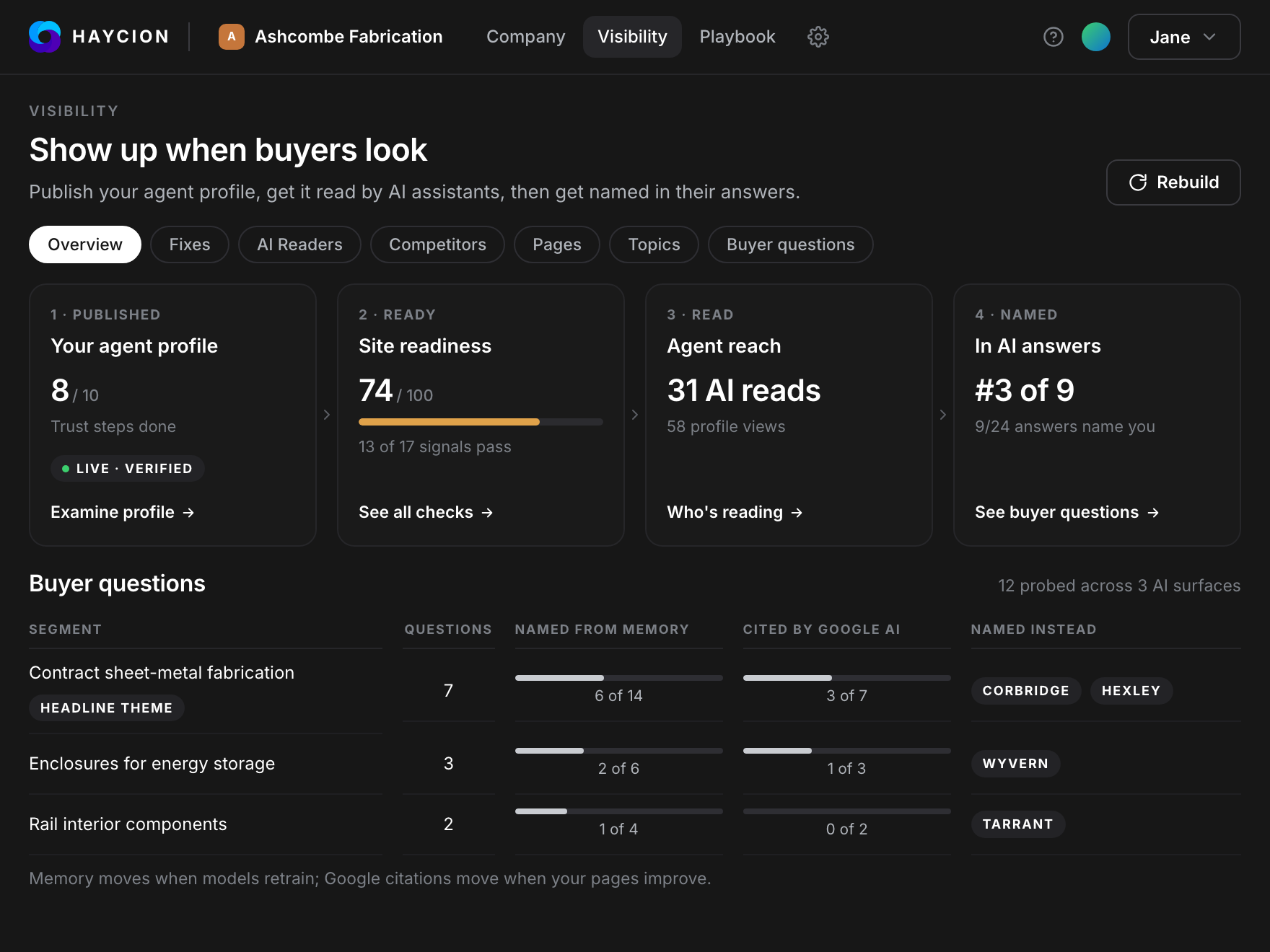
Set up the client's AI agent, within guardrails you and the client agree, and run its visibility check whenever you want to see whether AI assistants recommend the client when their buyers ask.
See how AI agents workSet the guardrails
What it can say, what it can share, where it can represent the client. The client signs off.
Check visibility
Ask what the client's buyers ask, and see whether the client shows up.
See who wins instead
Which competitors the assistants recommend in the client's place, and why.
Send the report
How AI describes the client and what you changed. Under your name.
Eight jobs. One account.
Your practice is your first workspace. Every client you win gets an isolated workspace of its own, and what it learns carries from one job into the next.
- 1Get found by buyers and by the AI they ask.
- 2Find the client with a reason to reach out now.
- 3Build the picture from a single URL.
- 4Map the field with reasoning you can override.
- 5Find the opportunity in plays ranked by the evidence.
- 6Make the case in comparisons and battlecards.
- 7Keep the client with intelligence they can't get elsewhere.
- 8Grow the client by getting them recommended by AI.
Questions advisors ask
Where do I start?
With your practice. Enter its website and Haycion drafts your profile for the Advisor Network and shows what Claude and ChatGPT say about you. Add a workspace for each client from there. Your practice counts as one workspace.
Is the profile the same thing as a client workspace?
No. Your profile is how your practice gets found. A client workspace is where you research and serve one client: their market, competitors, positioning and AI agent. Each client workspace is isolated from every other.
Which plan includes Prospecting?
The Practice plan and above. Each reserved prospect is yours for 14 days, and you can hold up to 5 at a time.
How long does a workspace take to build?
About an hour, not days. The first snapshot, competitor ranking and brief are usually ready the same working day.
Are clients kept separate?
Yes. Each client is an isolated workspace with its own data, stored and served separately from every other client. Access is role-based: Administrator, User and a dedicated Client role. Client View lets you switch on, section by section, what a client can see, with presets for each stage of an engagement. Switch between workspaces from the sidebar.
Can I change a score I disagree with?
Yes. Every score on the Strength Matrix comes with its reasoning, and you can correct it. The plays and battlecards are built on those scores.
Where does the data come from?
Public sources only. Nothing from inside the client, so the analysis is free of internal bias. The client's site is crawled with a crawlability check first, then a written brief, documents you upload in PDF, Word, PowerPoint or HTML, live web and news search, and a read-only profile API and MCP server for AI assistants. CRM connections are in early access.
What can I export?
Client-ready reports built from 18 section types, exported to PDF or Word. The public profile, served as Markdown for AI assistants to read. The AI visibility report, whenever you run it. A bundle of ready-to-install AI visibility fixes.
What does it cost?
Free to start, no credit card. Paid plans add more client workspaces, persona battlecards, AI visibility monitoring, prospecting and client access.