
The deliverable is the product
A consultant’s work becomes real when the client can hold it. A workspace that is brilliant on screen and useless in a board pack has failed at the last step. So a Haycion workspace treats the deliverable as a first-class object: built from the workspace’s own data, drafted and published on your terms, exported in the formats clients actually open, and always under your name.
The report builder
Reports are assembled from sections, and there are 18 section types to choose from. Free text for your own narrative. Company, products and product details. Market segments with a chart and per-segment detail. Insights and insight details. ICPs, ICP details and persona details. Value proposition details. Competitors, competitor details, competitor products and their details. Sales battlecards. Each data section pulls from the workspace, so a competitor section shows the Strength Matrix scores as they stand today, with your overrides.
Choose the sections, order them, write the narrative between them, and the report is done. A teardown for a pitch, a quarterly review, a battlecard pack for the sales team and a market sizing memo are all the same tool with different sections.
Draft and publish
A report has two states: Draft and Published. While it is a draft, it is yours. When you publish, it becomes visible in the workspace to whoever the Client View allows to see reports. That means you can build a report over a week, correct a score on the matrix on Wednesday, watch the report update, and publish on Friday with nothing in it you have not read.
Export to PDF and Word
A published report exports to PDF for the version you send as it is, and to Word for the version you finish in your own template with your own cover. Both carry the sections as laid out, including the charts. Nothing has to be rebuilt in a deck by hand.
The public profile, served as Markdown
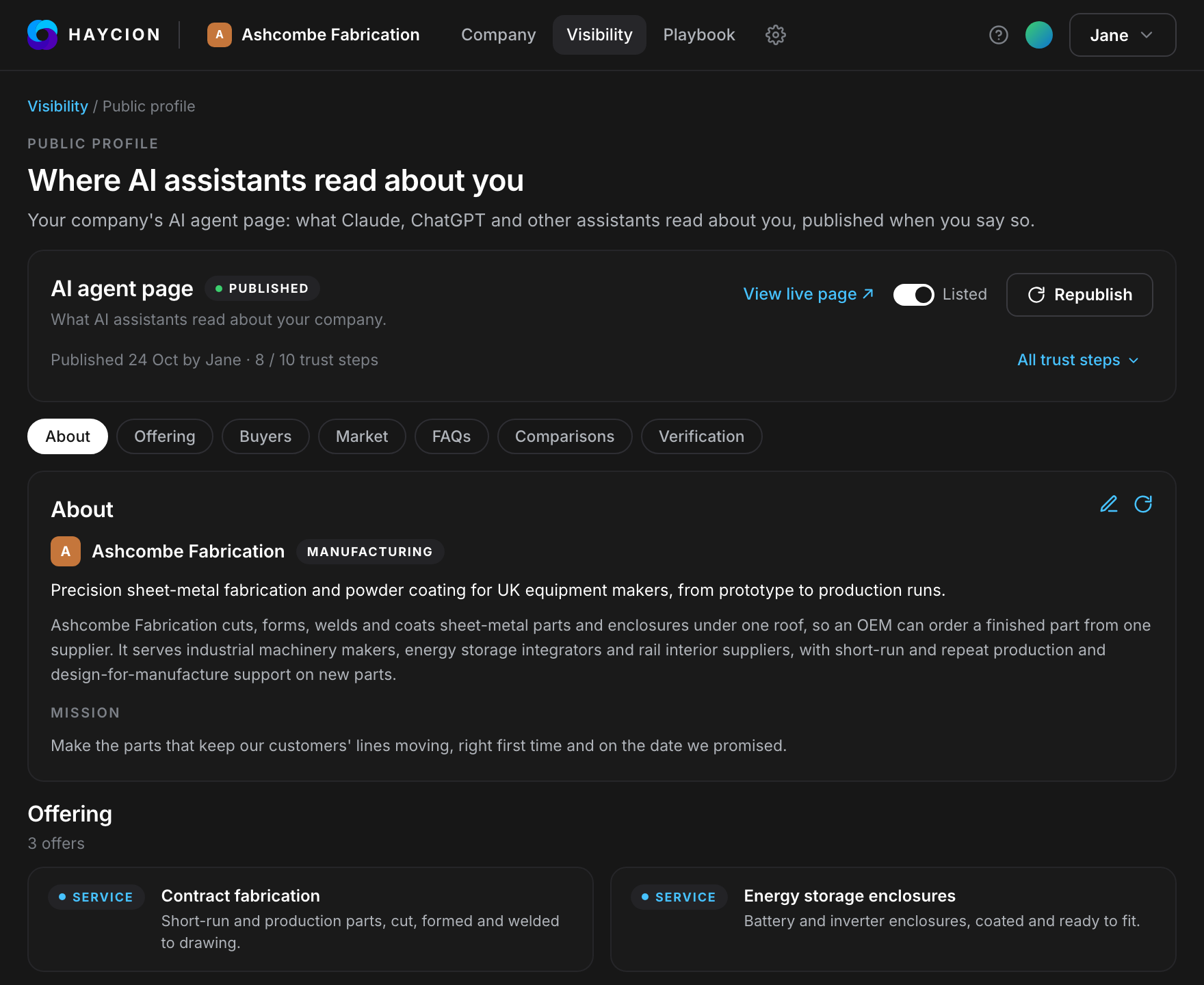
The client’s public profile is the deliverable an AI assistant reads. Once you publish it, it is served as a clean Markdown page as well as a web page, so Claude, ChatGPT and other assistants get an accurate, structured description of the client without parsing a marketing site. The same rule applies to it as to every report: nothing is public until you publish it, and only the fields on a fixed public list are ever included.
The daily brief
From the first day of a workspace, the daily brief lands each morning: what moved in the client’s market since yesterday, drawn from live web and news search across the competitors, segments and personas the workspace tracks. A competitor’s pricing change, a partnership, a persona shifting. It is the deliverable that keeps a retainer alive, because it gives you something to say to the client every week without a project to justify it.
The AI visibility report
The visibility work in a workspace produces its own report: the discoverability score out of 100, the citation checks in ChatGPT, Claude and Google AI Overviews with the buyer questions used, the competitor visibility comparison showing who was cited instead, and what changed since the last run. Run it whenever you want and each run is compared with the last, so the trend is a number the client can watch move. Send it as a PDF under your name or let the client see it in the workspace. The AI visibility guide describes how it is measured.
The fix bundle
Some deliverables are not documents. The visibility work generates the artefacts the client’s site is missing, such as a structured data file and an AI-readable site description, validates them, and packages them as a download. The client’s web team installs them; the next visibility run shows whether it worked.
What the client receives
- Reports assembled from 18 section types, published when you say so.
- PDF for sending, Word for finishing in your own template.
- A public profile served as Markdown for AI assistants, built only from a fixed list of public fields.
- The daily brief on their market, every morning.
- An AI visibility report, run whenever you want and compared with the last.
- A validated bundle of visibility fixes their web team can install.
How it shows its work
Every data section in a report is drawn live from the workspace, so a number in the report is the number in the matrix, with your override if you made one. Draft and Published are explicit states, so nothing reaches a client by accident. Exports carry the report as laid out. The visibility report shows the questions it asked and the answers it got. Public data only, so every deliverable can be shown to the client without a caveat about where it came from.
What a result looks like
A typical engagement produces a competitive teardown for the pitch, a battlecard pack after the matrix is agreed, a quarterly review built from the “what changed” note, and a visibility report once the client’s AI agent is live. All four come from the same workspace, and the client sees only the published ones.
See what buyers and AI read about your practice.
Free to start, no credit card.